MyNav is a navigator for adventurers: it builds a curvy road, guides you along a GPX track even where roads end, and shows your friends on the same map. Works without a GPS device too, a phone is enough. First 7 days free.
The adventurer features come with the TET add-on. You can add it to any plan with a GPS device, or take it on its own, without a device. Then your phone is the GPS device.
MyNav Simple
MyNav Simple for adventurers
Self-registration, the account is ready in minutes. You can use all our navigation, GPX track building and curvy road generation features. If you already have a GPS device, you can pair it with MyNav yourself (guides are available). Turn your phone into a GPS device and pair it with MyNav, so you can share your location to your friends’ map for a group ride.
7 days free, then 15 € / 6 months or 30 € / 12 months (VAT included)
1 device included; extra device +2 €/month, extra user +0.50 €/month
You can add a GPS device later, the account stays the same
Say where from and where to, and MyNav builds a road made for riding, not for arriving. The curviness comes from the road itself, not from detours.
Three levels: Fast and curvy · Curvy · Very curvy. The third option is always the curviest and may be longer for it.
Surface and filters: Asphalt only · Prefer gravel · All roads, plus “Avoid motorways”. This is how you shape the route yourself.
Three routes to choose from: pick the one you like. “Generate again” brings the choice back.
Round trip: there and back another way, the destination sets the length.
The result is yours: edit the track, save it under your own tracks and share it with a friend.
27 countries: from Estonia to Spain and from Norway to Greece. See the country search below.
How to use it
Long-press a point on the map and choose “Draw curvy road”. Pick the level and surface, look at the three options, tap the one you like and start navigating. Turn instructions come with it.
GPX tracks
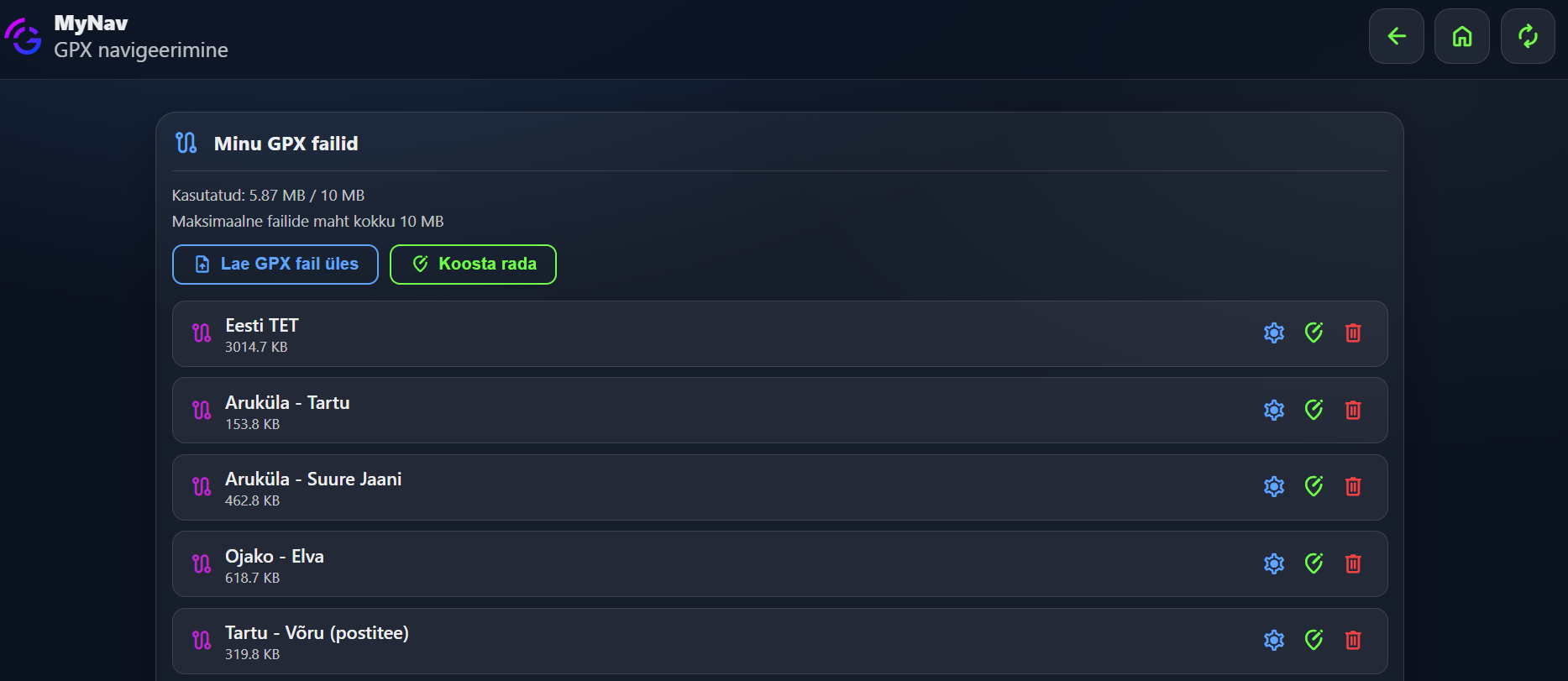
A track a friend sent, a day route found on a forum or a route you drew yourself: all your GPX tracks in one place and on the map in your own colours.
Upload: load a GPX file from your phone or computer, multi-track files too.
Build on the map: a road-following track, a free line or points of interest, directly in the app.
Edit: cut, join, move points and change the colour of each track.
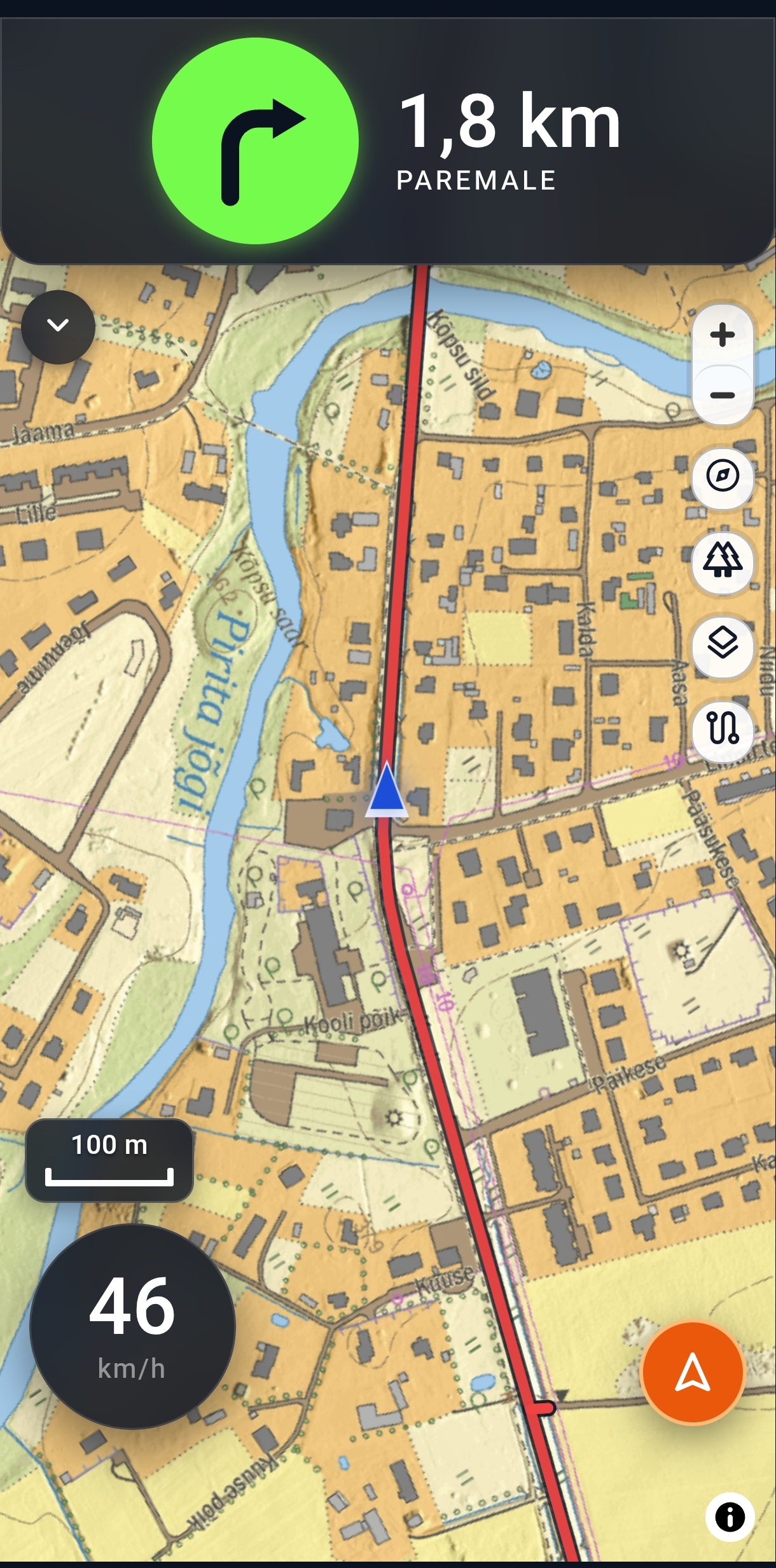
Navigate on the track: switch the track on and get turn and direction guidance along the whole track.
Navigate to the track: long-press the track and choose “Navigate there”. MyNav takes you to the chosen point the most direct way, or open Waze or Google Maps.
Share: long-press the track and choose “Share”. The track goes into your friend’s tracks and switches on right away on their map.
Your GPX tracks on the map
Navigating on a track
Turn instruction on the map
Navigation
One app for the whole ride: fast and direct to a destination, along a curvy road or on a GPX track. Turn instructions, ETA and remaining distance are always on screen.
MyNav navigation to a destination: the fastest, most direct route, preferring asphalt, just like an ordinary navigator. Good for getting to the start of a track or to a point of interest.
Turn-by-turn guidance: “250 m right”: real turn instructions on roads, guidance from track geometry on forest and dirt roads. A long gentle bend is deliberately shown as a turn.
Off the track? Guided back: if you miss a turn, MyNav guides you back to the track after a sensible moment. If you cut back elsewhere, the system notices by itself.
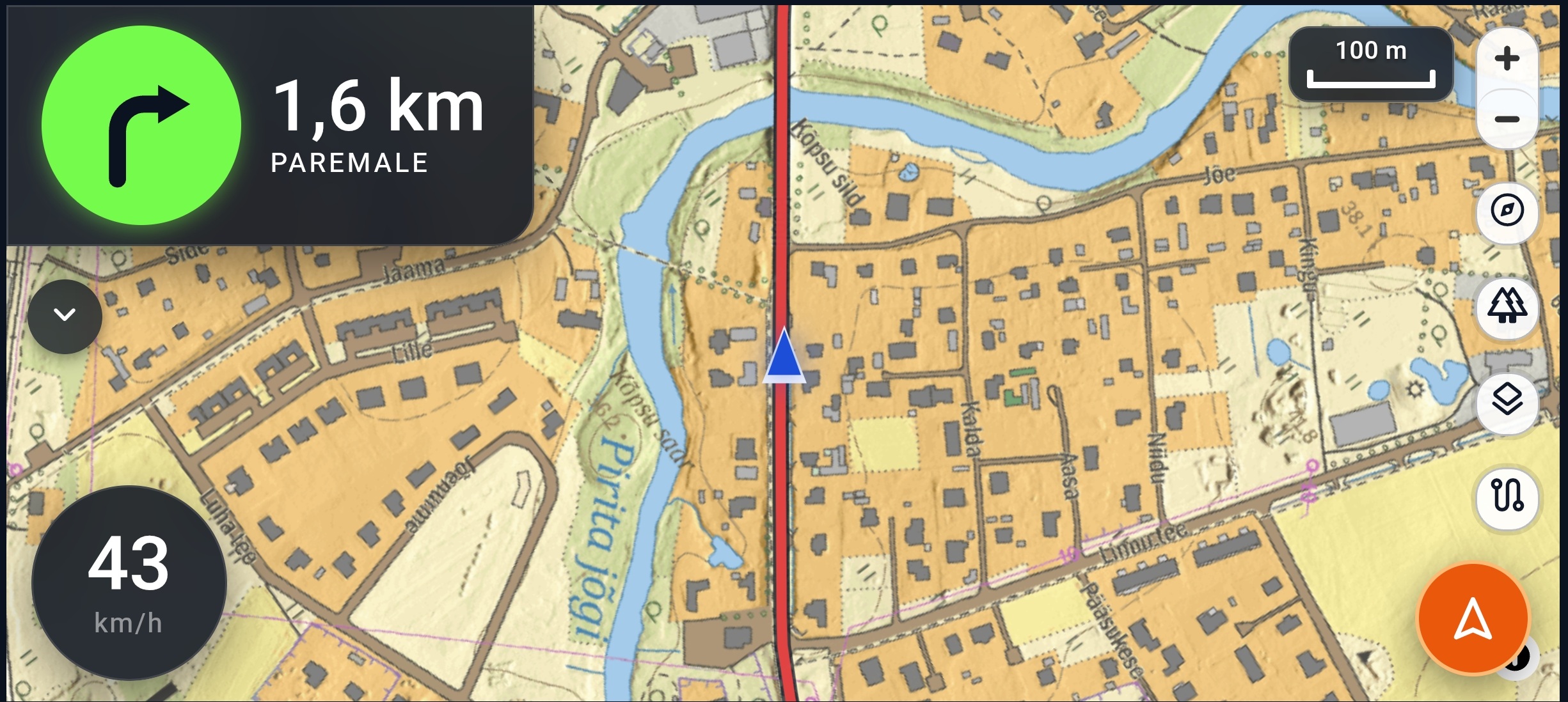
Landscape mode: turn box, ETA and road name in landscape view too, the whole day’s route on screen.
Navigation resumes: an unfinished route is still there when you reopen the app.
Sharing a route with a friend
Built a curvy road or uploaded a track? Long-press the track and choose “Share”. A second later the route is on your friend’s map and the whole group rides the same road, with no files to send.
Who you can share with: MyNav users you have already shared at least one vehicle or phone location with, and who have the adventurer features. Pick one or everyone at once.
The recipient gets a pop-up: “A track has been shared with you, apply it?” After confirming, the track is on their map and they can start navigating right away. The offer is valid for one day.
Curvy road, GPX track or part of it: for a long GPX track only the track you hold your finger on is shared.
Save track: a received track can also be saved under your own tracks and used again later.
How a friend gets the share
First share your vehicle or phone location with them: by code, QR code or e-mail (see trip sharing). After that they are on your track-sharing list.
Group rides and MyClient
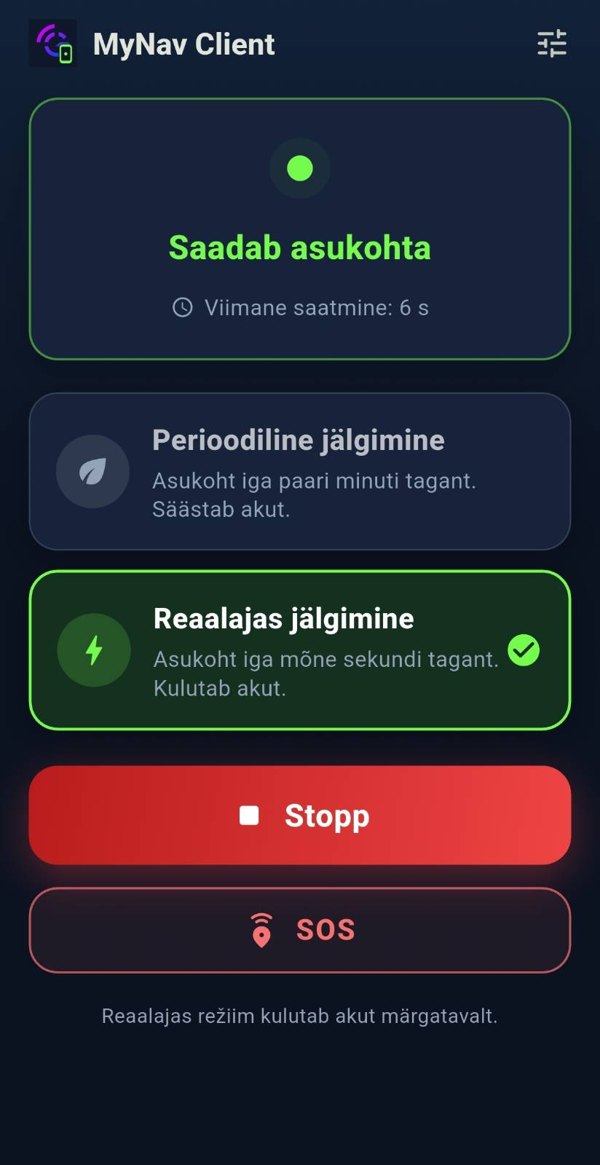
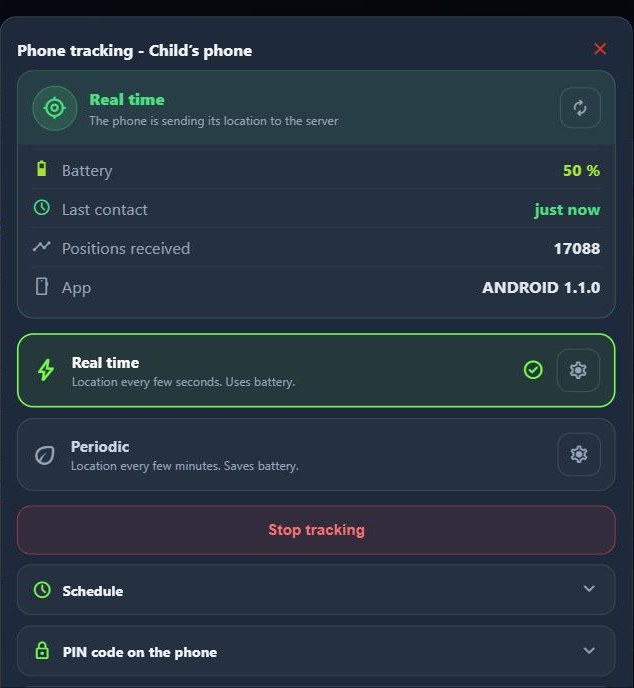
Not everyone in the group has a GPS device on their vehicle. The MyClient app turns a phone into a GPS device. Your friend’s location is on your map in real time or periodically, exactly like a vehicle with a GPS device.
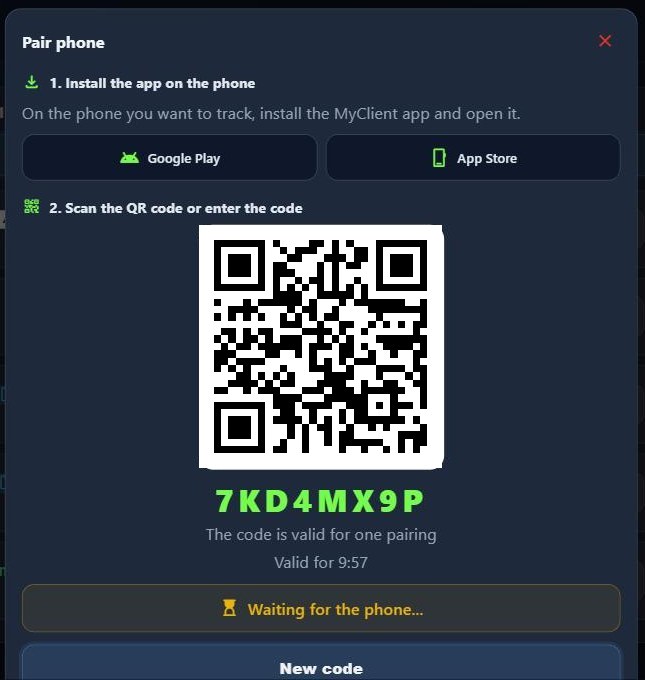
The phone is the device: pair the phone with a QR code or a one-time code, no account is needed on the phone. The phone appears among your devices.
Real time or periodic: real time every 10 seconds (configurable to 5 s), in periodic mode economical, optimal or precise. The mode can also be changed from the server.
Find each other at once in a big city: a shared phone shows on the map with a phone icon. Tapping a cluster shows who is there.
SOS: a button on the phone. The owner and everyone the phone is shared with get a notification, a sound and a blinking marker on the map.
Schedule and PIN: tracking by weekday and time of day. A PIN or fingerprint protects the settings and the Stop button.
Estonian, English, Russian and Finnish: free on the App Store and Google Play.
The right map is half the adventure. MyNav has maps that show terrain and contour lines, and in Estonia and Finland the state’s own highly detailed map. All of them can be downloaded to your phone.
Vector map: detailed, fast and high-contrast, readable in sunlight too.
Vector topographic map: terrain and contour lines across Europe. You see where the mountains begin.
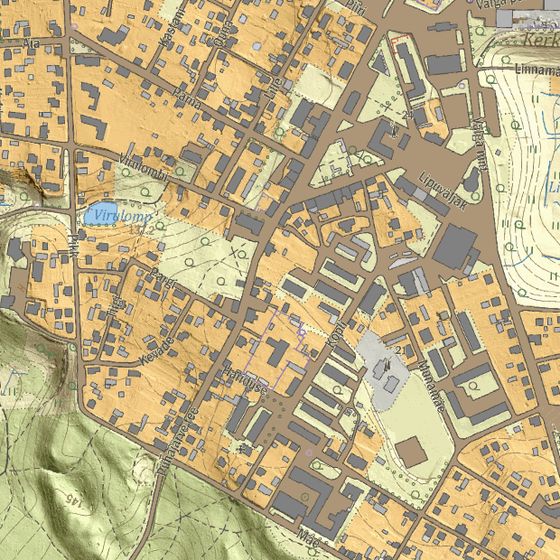
Official national maps: the highly detailed base maps of the Estonian Land Board and the Finnish National Land Survey (MML) for navigation and trip replay. More countries will follow.
Offline packs by country: choose a country and download the maps in advance, the download continues in the background. Large countries are split into sensible regions.
Works without coverage: the app starts, the map is there and you can navigate a previously built track.
Good to know
Generating a route or a curvy road needs an internet connection. Build the road while you have coverage. After that navigation along it works without coverage too.
Estonian Land Board base map
Tracks on the map
Group rides
The whole group on one map
On a motorcycle tour, an ATV trip or in the city with friends: everyone sees where the others are. Those with a GPS device ride with it, those without pair their phone with MyClient.
Friends on the map in real time: share your vehicle or phone by code, QR code or e-mail.
The same route for everyone: a built curvy road or track reaches the whole group’s map with one tap.
Fall alert: when a friend’s vehicle falls, you see it on the map at once. Depends on the GPS device and its settings.
SOS from a phone: notification, sound and a blinking marker for everyone the phone is shared with.
Family follows from home: a public link shows your trip to those without a MyNav account too.
Going on a motorcycle tour in Europe? Before you go, check which countries have turn-by-turn guidance and where GSM coverage is in the package: countries and maps. A GPS device can also be rented for the tour short term.
Countries
Does your destination have turn-by-turn guidance?
The curvy road generator and full turn instructions work in 27 European countries. Elsewhere MyNav navigates from track geometry: you see the direction and turn angle, but no turn commands.
Type a country name in English, Estonian, Russian or Finnish.
The list can be extended. If your route goes to a country not listed here, tell us and we will add it.
GSM coverage by country and the price of data outside the package are on the countries and maps page.
How to start
Three steps from phone to track
Without a device you start in a few minutes. If you already have a GPS device, the adventurer features are one click away as the TET add-on.
1
Create an account
Press “Start free”, enter your name and e-mail and confirm the link in the e-mail. The trial is 7 days. Your card is added in Stripe’s secure payment environment and nothing is charged before the trial ends.
2
Pair your phone
Download MyClient, open “Added devices” in MyNav, press “Pair phone” and scan the QR code. Your phone is now your vehicle’s GPS device.
3
Build a road and ride
Long-press the map and choose “Draw curvy road”, or upload a GPX track. Share it with friends and start navigating.
The trial can be cancelled at any time, then nothing is charged. The subscription is prepaid for 6 or 12 months and sold to EU countries. The self-service limit is 10 devices; for a larger group contact us.
?Frequently asked questions
Do I need a GPS device?
No. Your phone becomes a GPS device with MyClient. If you already have a GPS device, you can pair it with MyNav yourself.
How much does MyNav Simple cost?
The first 7 days are free, then 15 € for six months or 30 € for a year. The price includes VAT and one device. An extra device costs 2 € and an extra user 0.50 € per month.
Can I cancel the trial?
Yes, at any time, and then nothing is charged. No money is taken before the trial ends.
In which countries does turn-by-turn guidance work?
The curvy road generator and turn-by-turn guidance work in 27 European countries. Elsewhere MyNav navigates by the shape of the track. The full list is on the countries and maps page.
Does MyNav work without mobile coverage?
You can navigate a previously built track without coverage if the maps have been downloaded in advance. Building a new route or curvy road needs an internet connection.
I already have a MyNav account. How do I get the adventurer features?
They come with the TET add-on, which works with the Limited, Pro and Fleet plans. Contact us and we will add it to your account.
Can I ride together with friends?
Yes. You share your vehicle or phone and your friends see you on the same map in real time. A built road reaches the whole group’s map with one tap.