Software developed in Estonia. Available both on the web and in the mobile app (iOS, Android) and in four languages: Estonian, English, Russian and Finnish. Servers in the European Union.
Tap a module to see exactly what it does. Which module is in which plan you can see from the comparison table on the plans page.
Real-time tracking
The map shows all your vehicles at once. You see the location, heading, speed, ignition state and supply voltage. For the base map you can choose OSM, the topo map or an official national map (Estonian Land Board, Finnish National Land Survey).
Alerts
Choose from the ready-made alerts or create your own rules from what the device sends. The alert arrives through four channels: push to the phone, e-mail, Signal and the in-app inbox.
Chapters13
Geofences
Draw an area or a route on the map and set a rule, an alert on entering, on leaving or on both. The logbook uses geofences too, to fill in the purpose of a trip automatically.
Chapters17
Geo reports
A report on who entered which zone and when, and how long they stayed. For routes you also see the deviations.
A geofence report
Reports
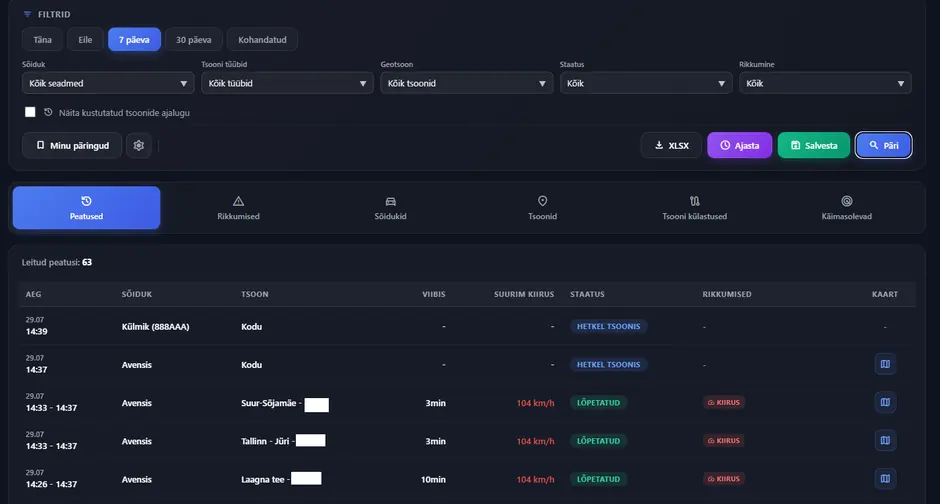
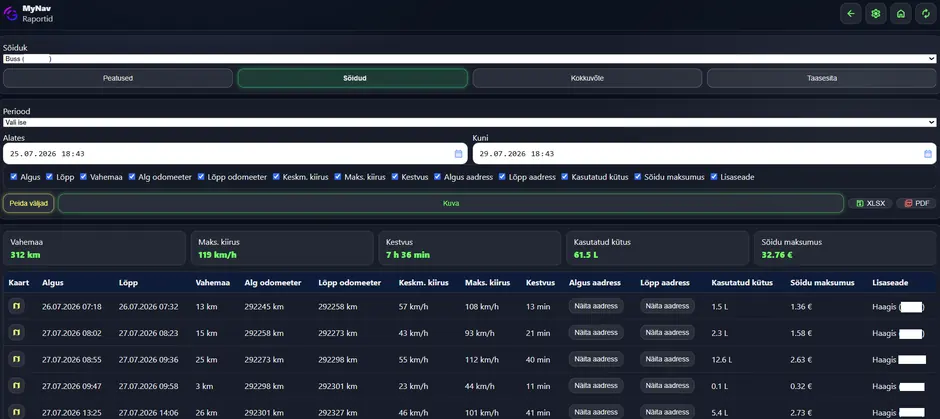
Every trip is a separate entry: start, end, duration, distance, average and maximum speed. A trip can be played back on the map together with charts. The extract is available as a PDF.
The reports view
Scheduled reports
Choose the fields and the period and the report arrives by itself, with nobody having to make it by hand every month.
Servicing
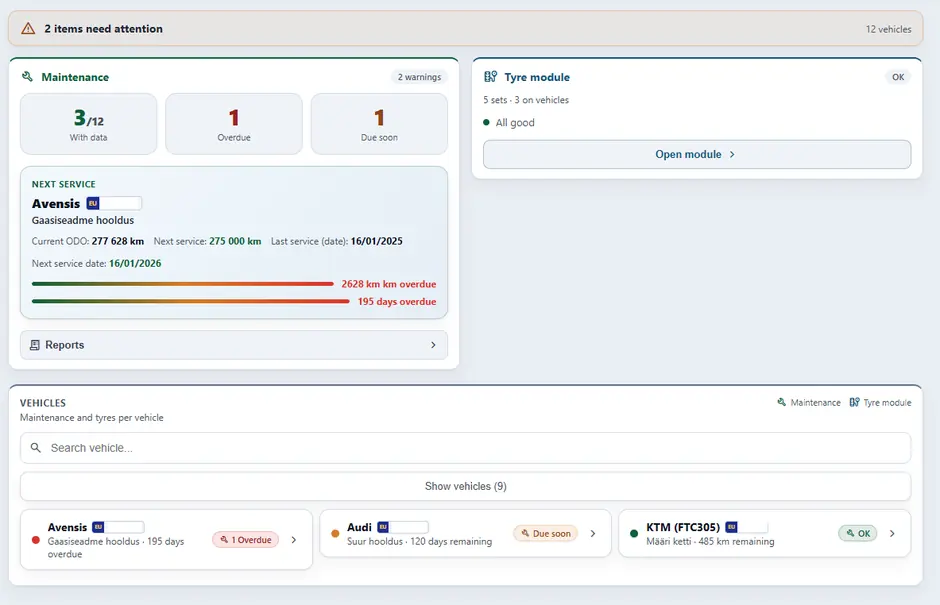
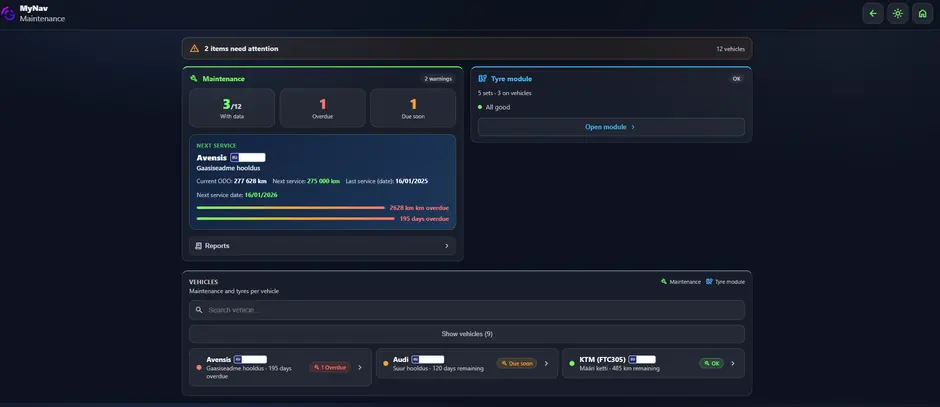
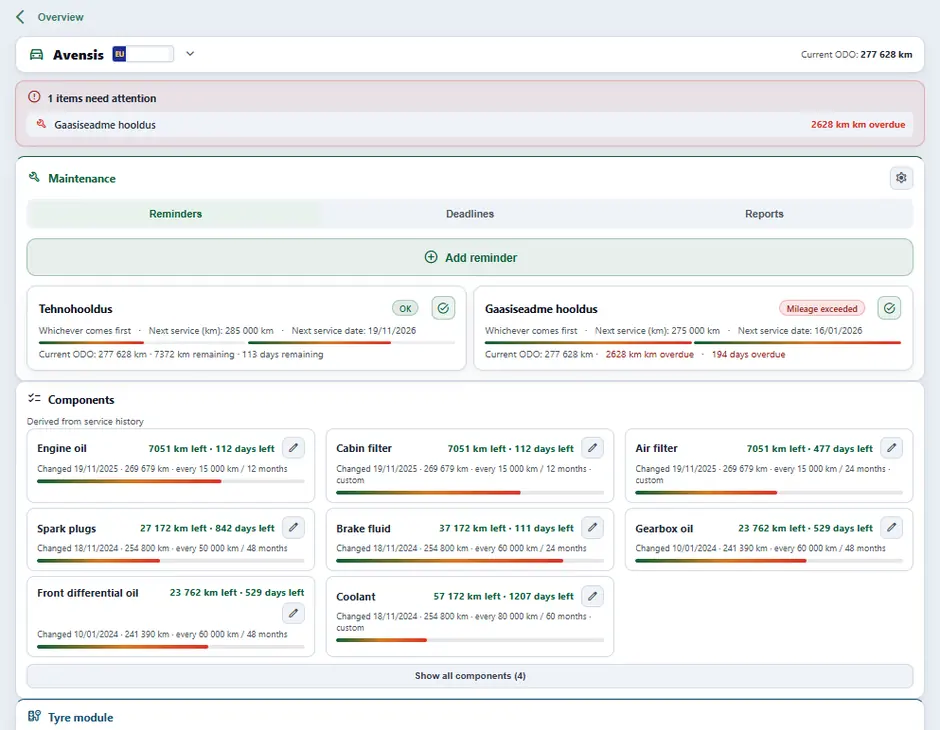
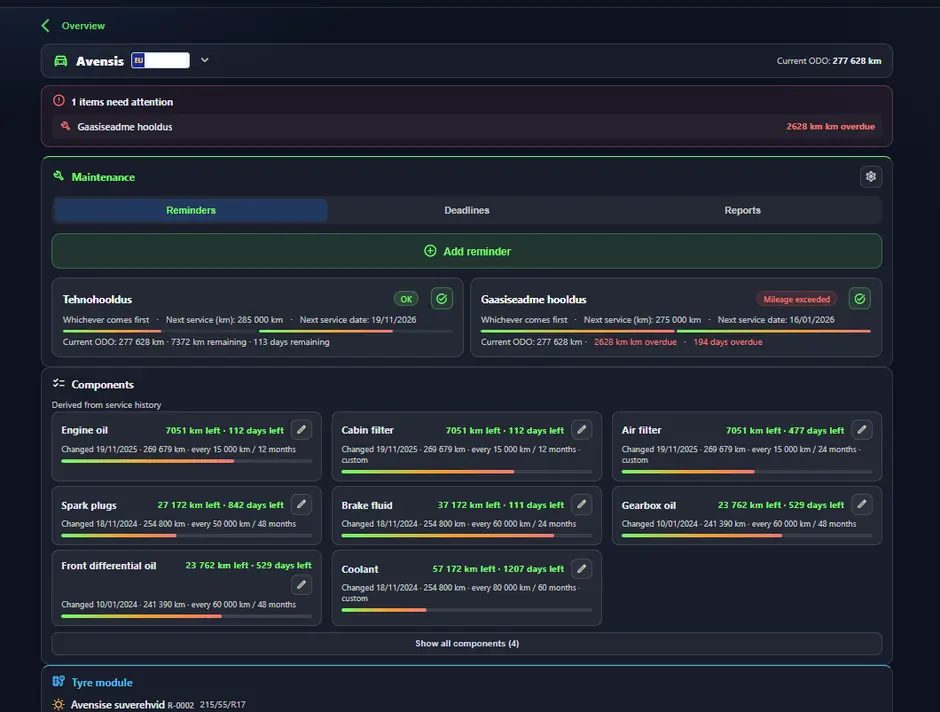
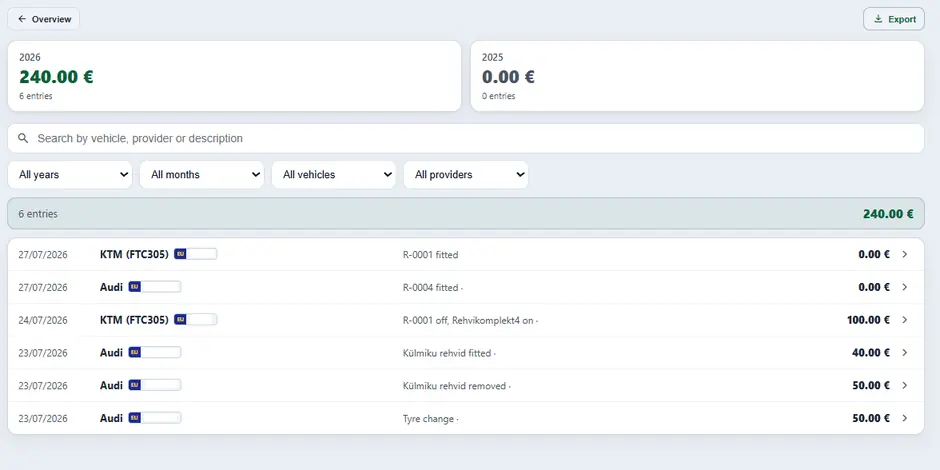
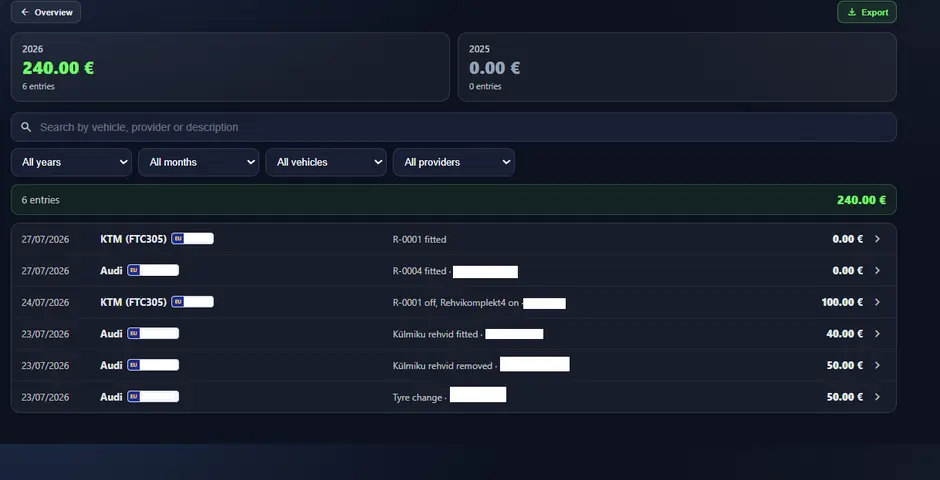
A thorough module for the whole technical side of the fleet. You enter service intervals, the work done and the costs; the system counts the mileage and tells you when a service is due. Cost reports show where the money goes.
Servicing overview
The vehicle servicing view
Tyre module
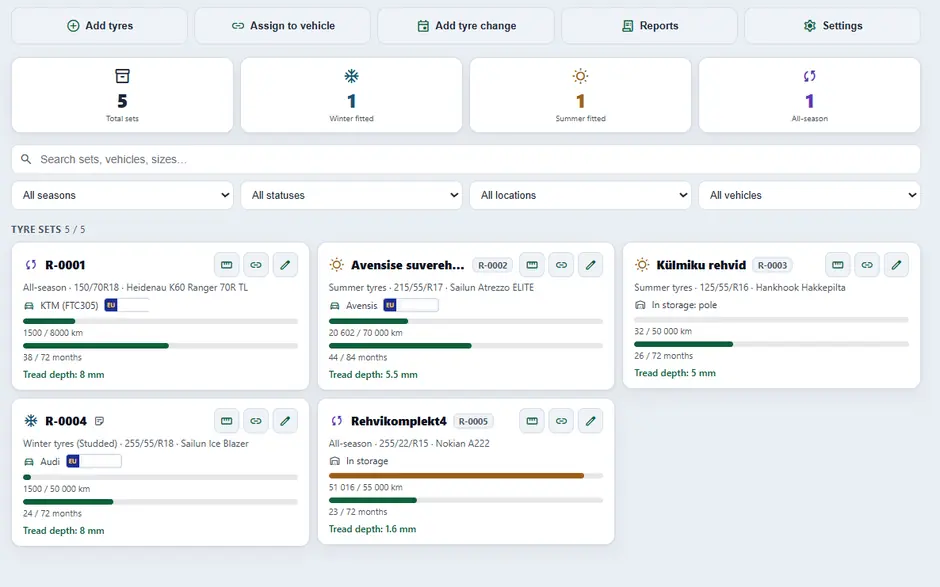
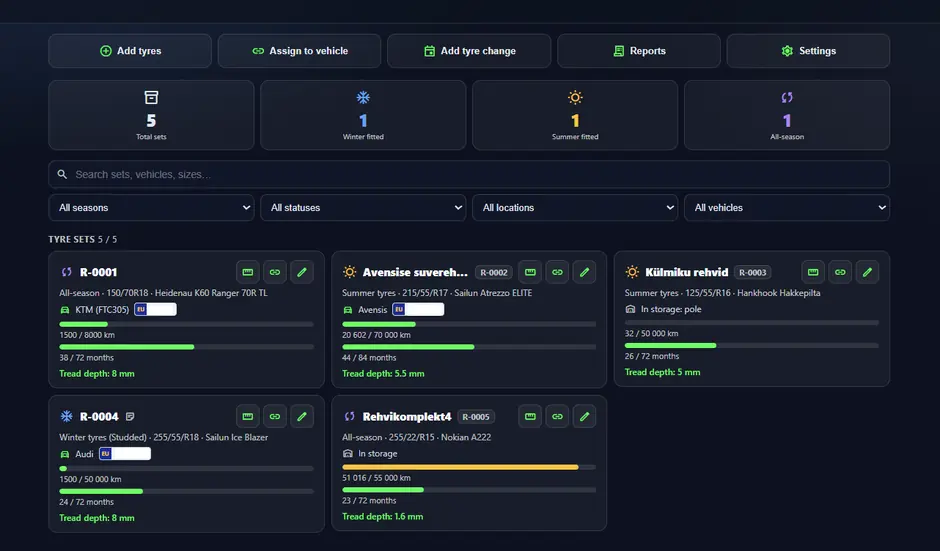
Every set of tyres is a separate entry: fitting, removal, tread depth, kilometres driven on the tyre and its age. The tread depth is entered by the user; the mileage and age are counted by the system. It comes together with servicing.
Tyre module
A tyre change report
Logbook + drivers module
With the right rules the logbook fills itself in: the purpose of a trip is set from a geofence or the calendar, private at the weekend, say, business inside a given zone. That way nobody has to note anything down after every trip. The extract goes to the accountant as a PDF.
It always comes together with the drivers module: drivers can be assigned to vehicles either from your own users or by creating a driver with no MyNav account, so the logbook and the reports show who was driving.
Chapters9
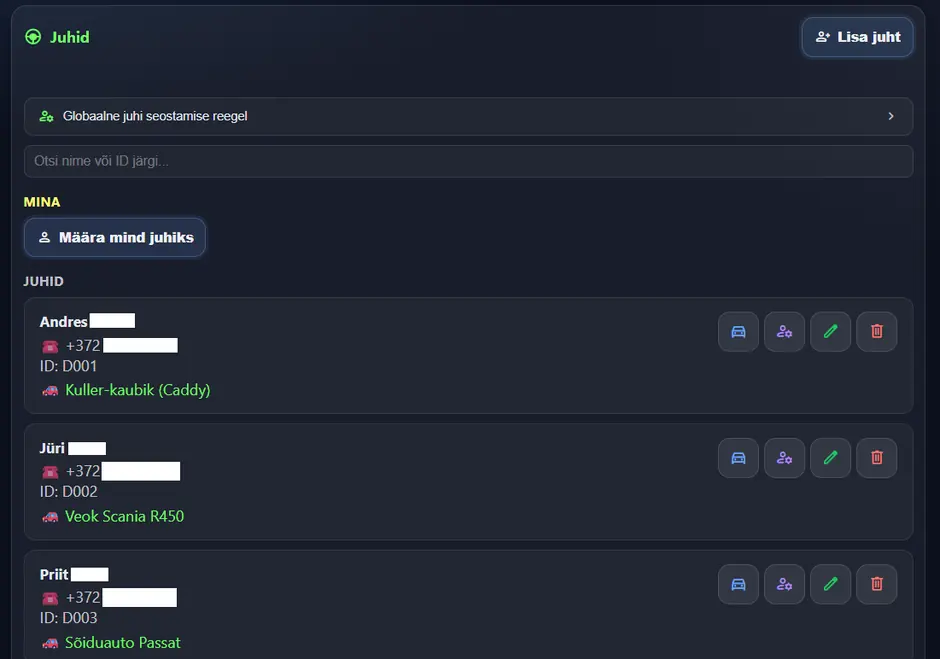
Drivers module
A driver can be picked from your own users or created without a MyNav account. That way the reports show who was driving.
Drivers module
Trip replay
Every saved trip can be played back on the map, you see the route, the speed and the stops exactly as the trip happened. The vehicle's pop-up window on the map has its own “Replay” button that takes you straight to the playback of the last trip. The extract is available as a PDF.
Vehicle sharing
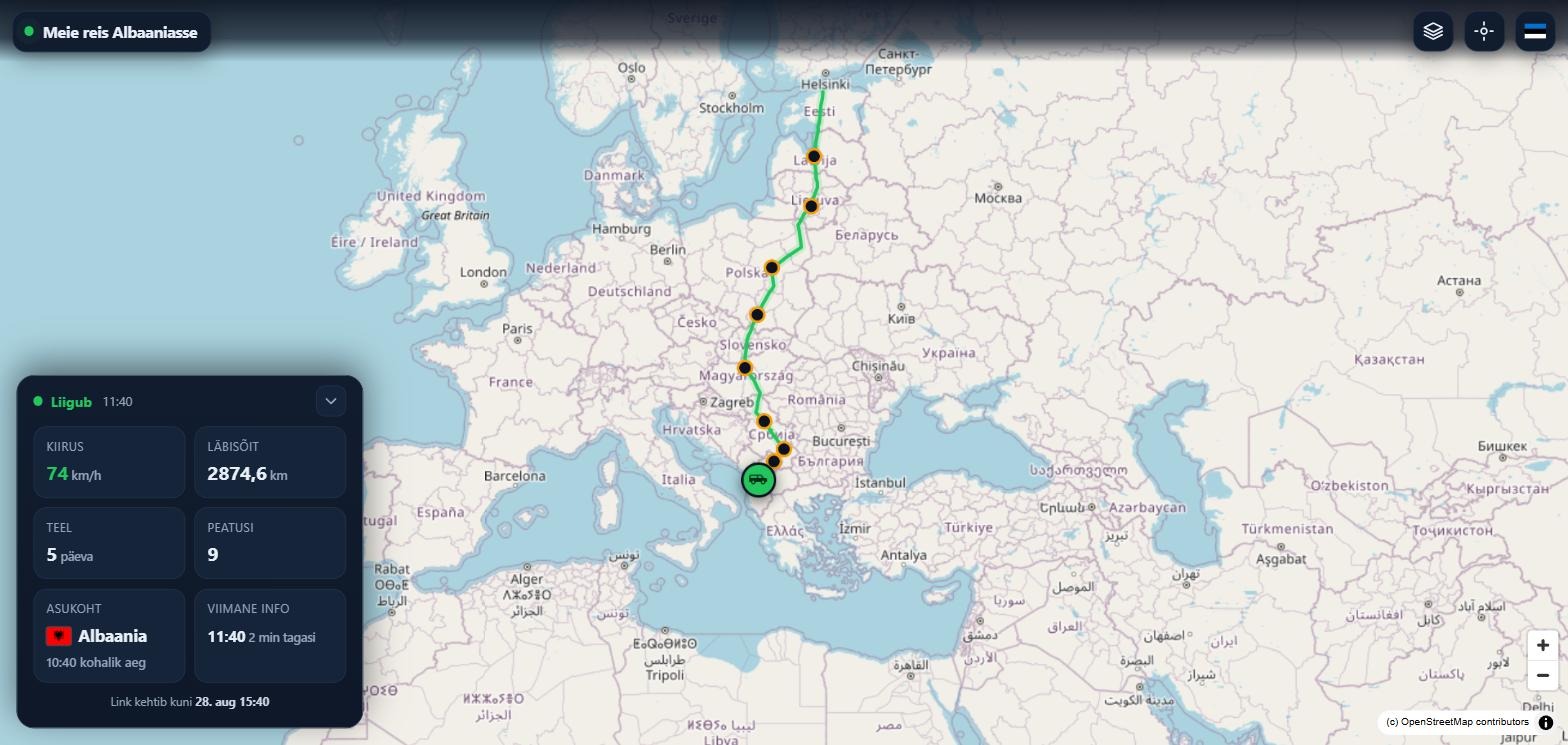
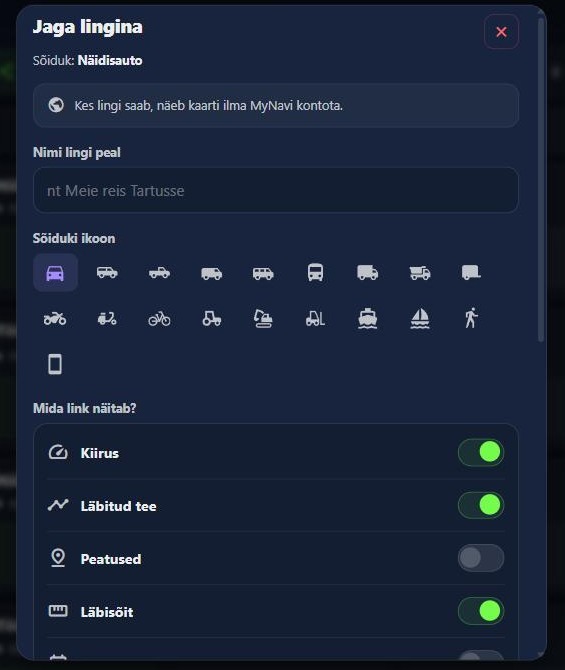
Share your vehicle’s location with another MyNav user or with a link whose viewer needs no account. You decide who sees what and for how long.
Link with a code: the viewer opens the link on a phone or computer and sees the map. Location and data age are always on; speed, route travelled, stops and mileage you switch on yourself. Valid for up to 30 days.
Sharing with a code or QR code: another MyNav user enters the six-digit code or scans the QR code. For one person or up to ten at once.
Groups: save a list of friends or your team and share a vehicle with the whole group in one click.
Fall alert: when the device detects a fall, everyone the vehicle is shared with gets a notification.
A public sharing link as the viewer sees it: route and stops on the map, with speed, mileage, days on the road and country alongside.
“Share as link” window: you choose what the link shows.
Extra maps (TOPO)
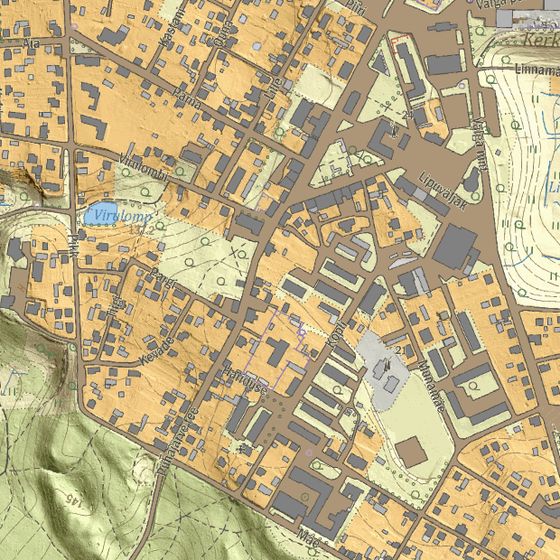
Vector map, vector topographic map with terrain and contour lines, and in Estonia the Land Board base map, in Finland the National Land Survey base map. The forest track really is on the official national map.
Vector map: detailed, fast and high-contrast, readable in sunlight too.
Vector topographic map: terrain and contour lines across Europe.
Official national maps: the highly detailed base maps of the Estonian Land Board and the Finnish National Land Survey for navigation and trip replay.
Estonian Land Board base map
TET add-on: navigation Add-on
A paid add-on for motorcyclists and adventurers. It adds the curvy road generator, navigation, GPX track building, offline maps and topographic map layers to MyNav.
When there is no GPS signal, an underground car park, a closed garage, the cargo hold of a van, or when a GPS jammer is in use, MyNav determines the location from mobile network masts.
Three sources at once, not one: every location is calculated from several independent sources and the results are compared with each other. When the sources agree, our measurements show the error is typically under 200 metres.
Confidence shown by colour: green, the sources confirm each other; yellow, the difference is moderate; red, the sources disagree. You do not have to guess how reliable the result is.
Theft mode: switches satellite reception off and makes the device use up to five masts at once instead of one. A location arrives even where there is no GPS at all.
On-demand tracking: the device sends its location every 10 seconds and does not go to sleep. It runs for an hour; if you want, the server extends it by itself until you switch it off.
An alert the moment a location arrives: to Signal, to the MyNav app and to the events inbox. The link in the alert opens the location view of the right vehicle straight away.
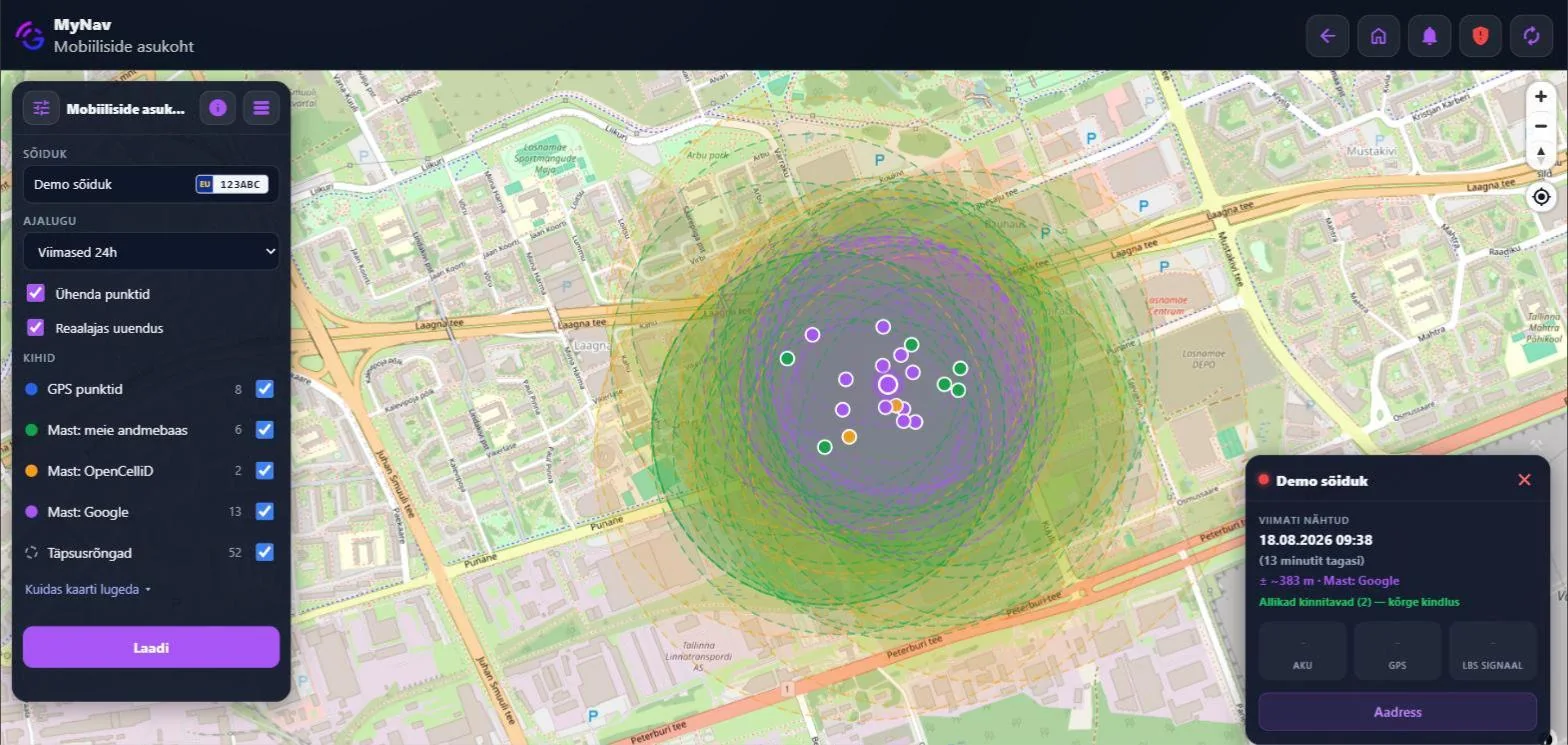
The mobile network location view in MyNav: four layers in different colours and an accuracy ring around every point. Where the rings overlap, that is where the vehicle most likely is. The screenshot shows a demo vehicle, and the interface is in Estonian.Accuracy depends on the mast network: 150–250 m when the sources confirm each other, typically 250–400 m in a city, 400–1000 m where masts are sparse, and up to 3000 m in weak coverage. Theft mode is supported by the FTC and ATC series; on-demand tracking by FTC, FMB and FMC.
Extra users
Each user can be given their own permissions and linked to specific vehicles. That way a site manager sees only their own machines.
Trip history
The retention period is part of the plan: 3 months, 12 months or longer. Longer than a year means a special order.
GPRS commands
It lets you change the GPS device settings remotely. It is not part of any standard plan, we put together a separate package for it.
Curvy roads and navigation TET
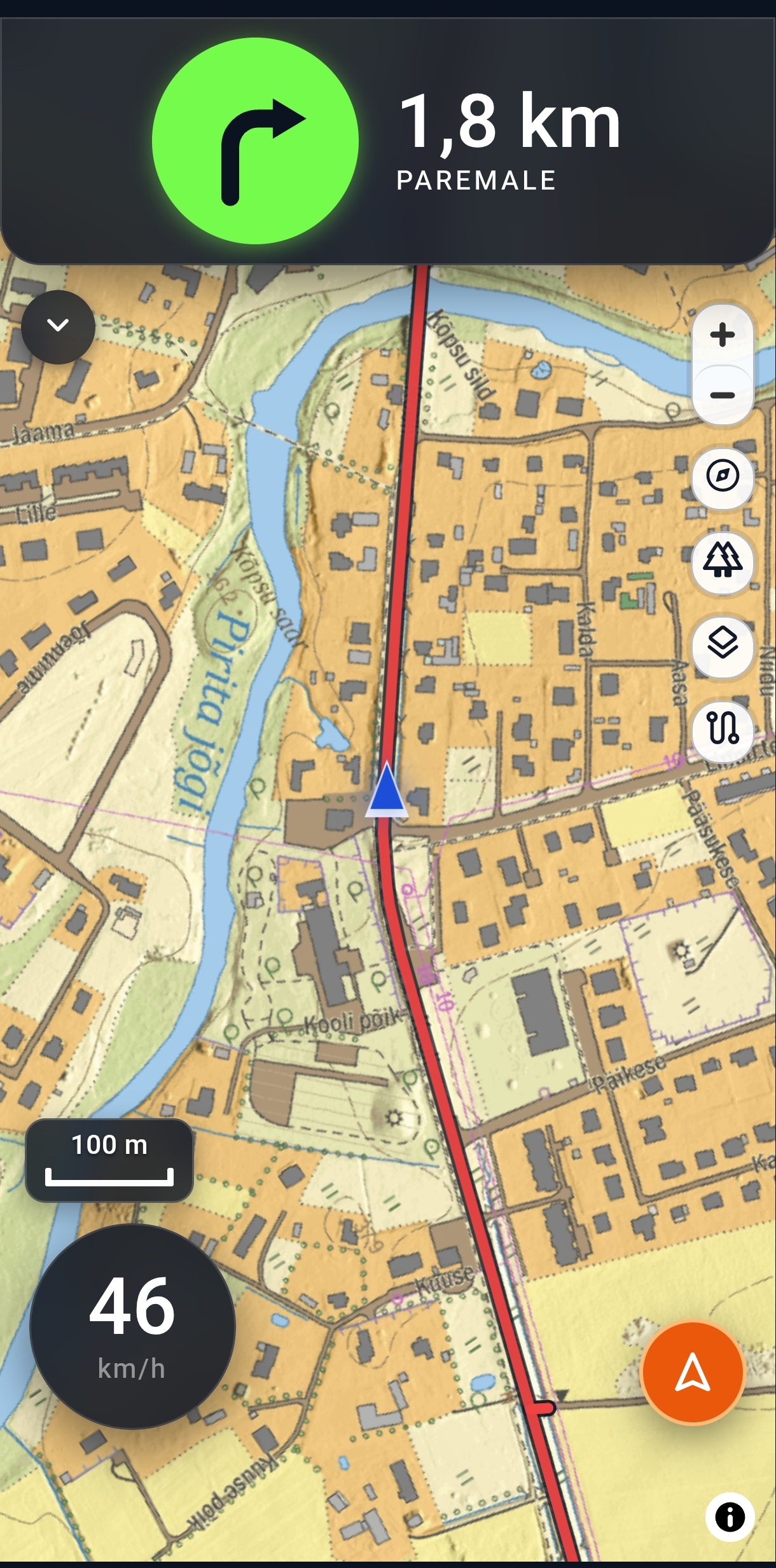
Say where from and where to, and MyNav builds a road made for riding. The same engine gives you the fastest way to a destination and turn instructions on a GPX track.
Curvy road generator: three curviness levels, surface and motorway filters, three routes to choose from, round trips there and back another way.
MyNav navigation to a destination: the fastest, most direct route, preferring asphalt, like an ordinary navigator.
Turn-by-turn guidance in 27 countries: real turn instructions on roads, guidance from track geometry where there are no roads.
Route sharing: a built route or track reaches a friend’s map with one tap, once you have shared a vehicle or phone with them.
Off the track? Guided back: MyNav guides you back to the track and notices when you rejoin elsewhere.
Generating a route needs an internet connection. A built road works without coverage too. Read the adventurers page.
MyNav Client: turn your phone into a GPS device
The separate MyClient app turns a phone into a GPS device. The phone appears among your devices and works on the map exactly like a vehicle with a GPS device.
Chapters8
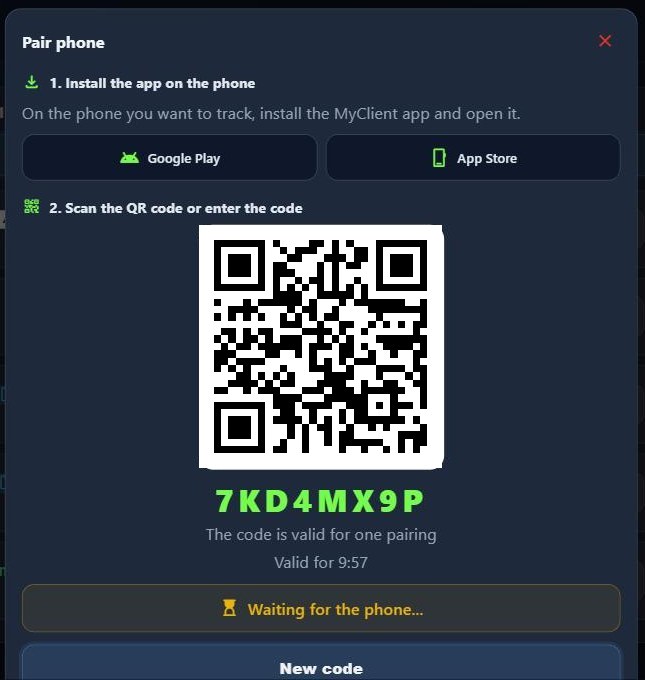
Pairing with a QR code: no account needed on the phone. Pair it under “Added devices” in MyNav.
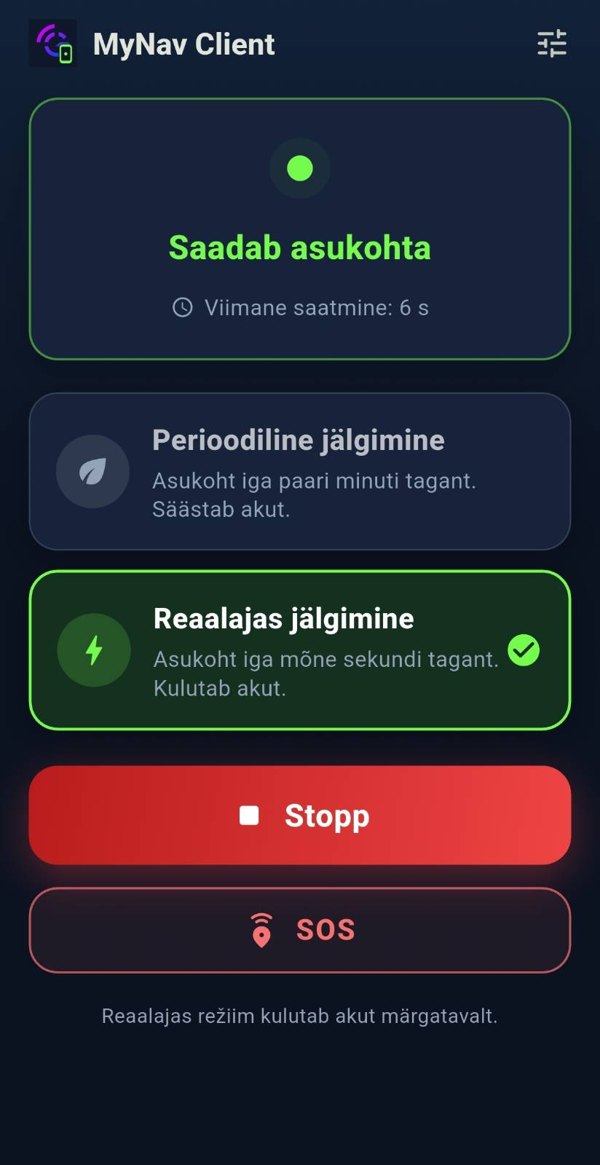
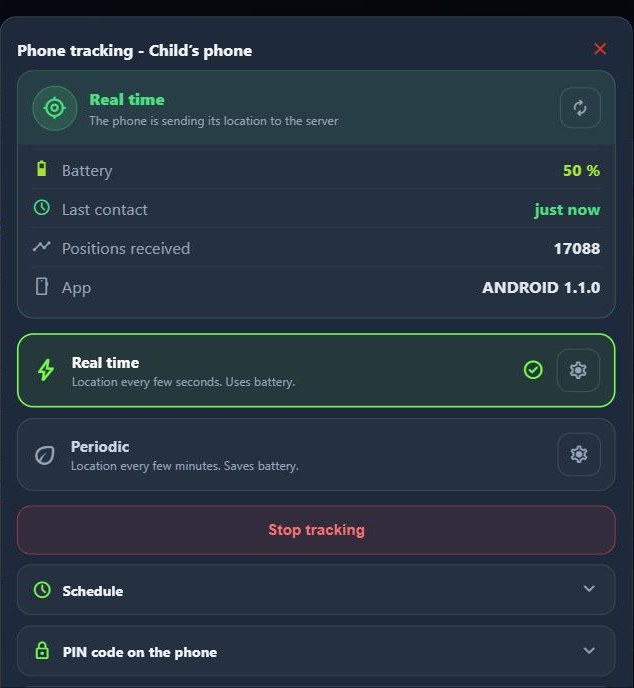
Real time or periodic: real time every 10 seconds, in periodic mode economical, optimal or precise. The mode can also be changed from MyNav.
SOS: a button on the phone: the owner and everyone the phone is shared with get a notification, a sound and a blinking marker on the map.
Schedule and PIN: tracking by weekday and time of day, a PIN or fingerprint protects the settings.
In four languages: free on the App Store and Google Play.
Download a country’s map pack to your phone in advance and the map is there even without coverage. The app starts without a signal and your vehicles, tracks and geofences are on the map.
30 countries: vector map and topographic map with terrain. Large countries are split into regions.
Estonian Land Board map: Estonia’s base map by county.
The download continues in the background: even when you leave the page; after an interruption it resumes where it stopped.
Navigation without coverage: a previously built track or route works and turn instructions keep coming.
The entire MyNav user guide is in a single PDF file. We update it together with the software, so you always get the latest version here, read it online or save it for yourself.
The whole guide in one file: the map view, devices, reports, geofences, servicing, tyres, alerts, permissions and settings.
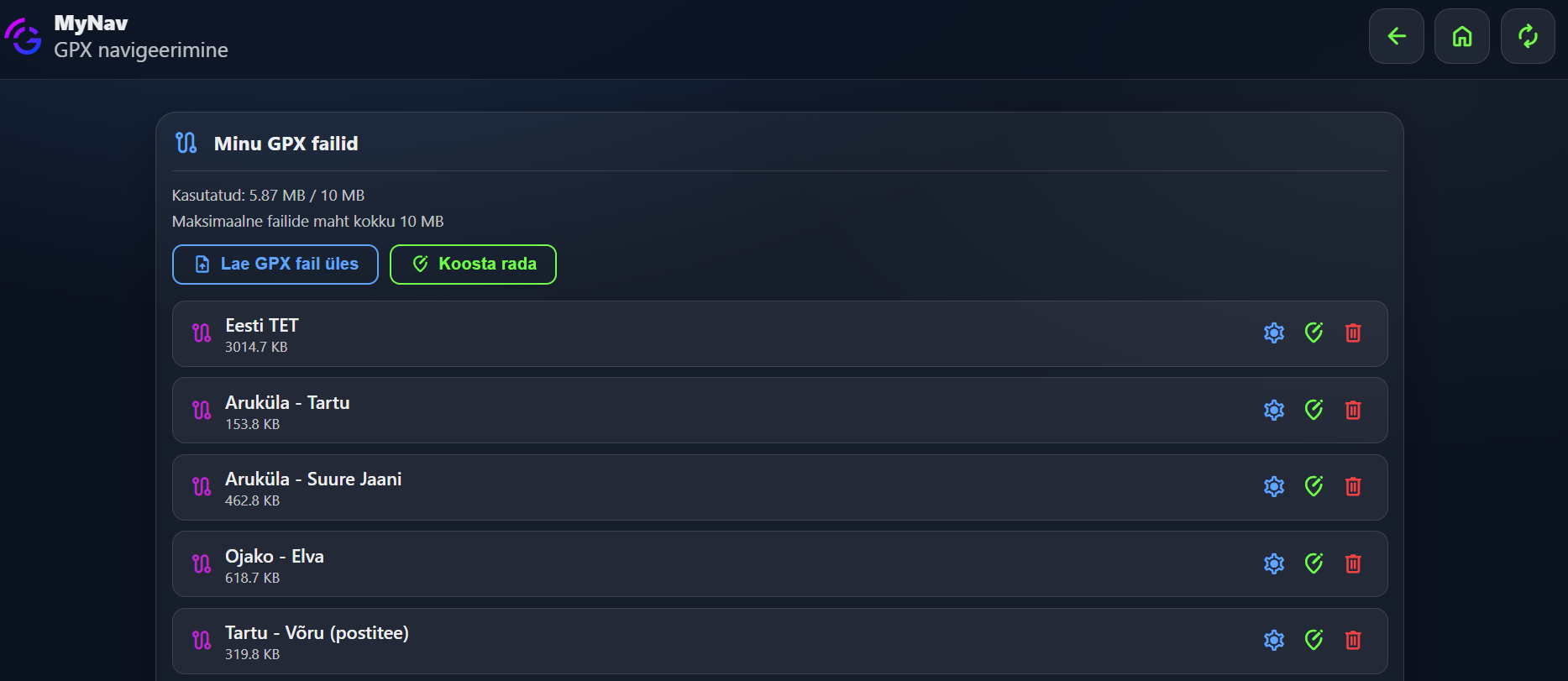
You can draw GPX tracks yourself: the guide says where and how.
The data is simulated, the vehicles, trips and reports are not real.
There may be small differences and some features may not work.
You can do, change and delete anything, it all comes back.
If logging in fails, try again later, the demo slot may be busy at that moment.
Where does MyNav work?
On a computer, in a web browser
Open mynav.gpslahendused.ee in any browser. This is the most comfortable place to look at reports and to set up geofences, servicing and alerts.
On your phone, the MyNav app
If you already have a GPS device and a SIM card, you can take the server solution only: choose a suitable plan and mention in your enquiry that you already have a device. Or register an account and add your own device yourself with the MyNav Simple plan.
You can give extra users exactly as many permissions as they need, all the vehicles or only some. A vehicle's location can even be shared with someone who has no account at all.